Installation & Power
EV Charger Troubleshooting: 12 Common Faults and What to Check First
A fault-finding guide for EV chargers: charger will not start, trips the RCD, drops offline, charges slowly or stops early — causes and first checks.
- Prepared by
- VULTAE Engineering Team
- Published
- Reading time
- 4 min
- Sources
- 3 references
Key takeaways
- 1Most “faults” are one of five things: no or wrong supply, an RCD or breaker that tripped, a communication problem, the vehicle refusing the handshake, or a worn cable and connector.
- 2Work from the outside in: indicator and error code, supply and protective devices, communication, then the charger itself. Always isolate the supply and lock it off before opening the charger.
- 3A charger that charges slowly is often limited on purpose: by load management, by the car, by temperature or by a wrongly set current. Check the settings before suspecting hardware.
- 4Keep the fault log and firmware version when you call support. They shorten diagnosis.
Contents
Short answer: most faults come from supply, protection, communication, the vehicle handshake or a worn cable. Read the indicator and error code, check the supply and breakers, check communication, then the charger itself — and isolate and lock off the supply before opening anything. A slow charger is often limited on purpose.
Safety first
- Isolate the supply at the breaker and lock it off.
- Wait the time the manual states for capacitors to discharge, especially on DC chargers.
- Only qualified electricians open the charger.
- If you see water, burn marks or a damaged cable, take the charger out of service.
Fault table
| # | Symptom | Likely causes | First checks |
|---|---|---|---|
| 1 | Charger dead, no lights | No supply; breaker tripped; blown fuse | Voltage at the board and at the charger terminals |
| 2 | Lights on, will not start | Not authorised; offline; vehicle not ready | Authentication method, network, cable fully plugged in |
| 3 | Starts, then stops after seconds | Vehicle refuses; contactor welding check; earth fault | Try another car; error code; connector pins |
| 4 | Trips the RCD or breaker | Earth leakage; water; overcurrent; wrong RCD type | Insulation test; look for moisture; see RCD Type A vs B |
| 5 | Offline / no connection to back end | No signal; wrong password; APN or SIM expired; firewall | Link status; signal; credentials — see connectivity |
| 6 | Charges slowly | Car limit; low supply voltage; set current; load management; derating | Session data; settings; temperature |
| 7 | Stops early at 80% or less | Car’s own limit; battery temperature; charger overheating | Another car; charger temperature log |
| 8 | Over-temperature fault | Blocked filters or vents; hot site; failed fan | Clean, check fans — see hot climates |
| 9 | Error on the connector (lock or temperature) | Worn pins; damaged lock; connector overheating | Inspect pins and cable; replace the assembly |
| 10 | Wrong energy or tariff | Meter configuration; tariff not synced | Back-end settings; compare with the meter |
| 11 | RFID or app fails | Reader fault; whitelist not synced; back end down | Test another card; check offline list |
| 12 | Firmware update fails | Weak signal; wrong file; power loss | Retry on better link; see OTA updates |
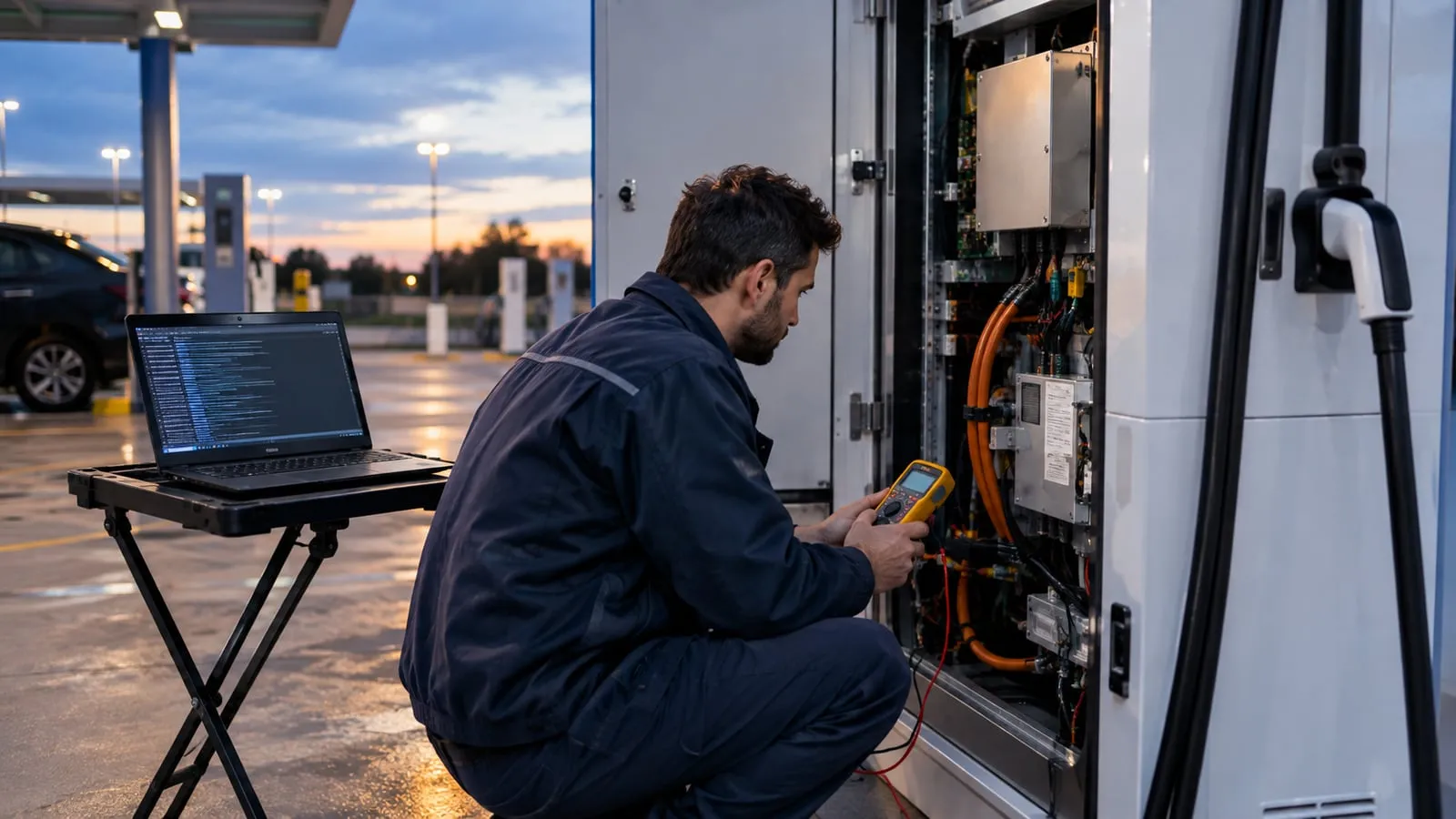
A simple fault-finding method
- Ask what the driver saw. Which car, which plug, error message, time, what had changed.
- Read the charger’s log. Error codes and the last events tell you most of the story. Export the log.
- Check the supply. Voltage on all phases, breaker and RCD state, earth connection.
- Check communication. Link, signal strength, back-end status.
- Check the connector and the cable. Look for heat marks, loose pins, damaged insulation.
- Try another vehicle. If it charges, the problem may be the first car. If not, the charger is at fault.
- Check settings. Maximum current, load management, schedules, time zone.
- Escalate with logs, photos and the firmware version.
The vehicle handshake
The charger and car talk over the control pilot (and, for DC, digital communication). Rare incompatibilities exist between particular cars and particular charger firmware. Symptoms: the session starts and stops within seconds, or the car shows “charging not possible”. Test with several cars during commissioning, and update firmware after the supplier confirms a fix.
When a charger is “slow”
Look at what limits the power:
| Limit | How to see it |
|---|---|
| Car | Session data shows the car’s requested current below the charger’s limit |
| Charger setting | Maximum current set below the rating |
| Load management | Site limit reached — see load management |
| Supply voltage | Low voltage reduces power; check under load |
| Temperature | The charger or battery is hot; power reduced |
| Cable | A thin or long cable reduces voltage at the charger |
Prevent repeat faults
Fix the cause, not the symptom: water ingress needs sealing, not a new board; a loose terminal needs torque checks. Add the fault to your records and the maintenance checklist. For public sites, track uptime — see EV charger uptime.
VULTAE support
Send the model, serial number, fault log, firmware version and photos with your support request, as described on the warranty and service page. We can then tell you whether it is a settings issue, a part to replace or an installation problem.
Questions buyers ask
- Why won’t my EV charger start a session?
- Common causes: no supply, the breaker or RCD tripped, the charger is offline and cannot authorise, the card or app is not accepted, the connector is not fully inserted, or the vehicle is not ready. Check the indicator and error code first.
- Why does the charger trip the RCD?
- It may be a real earth leakage in the charger or the cable, moisture in a connector or enclosure, a DC fault that a Type A RCD handles badly, or an incompatible RCD. Isolate, inspect for water and damage, and test the insulation.
- Why is my charger slower than rated?
- The car may limit the power, the charger may be set to a lower current or be load managed, the supply voltage may be low, or high temperature may cause derating. Check the session data for the limiting factor.
- When should I call the supplier?
- When the error code points to an internal fault, when the charger will not power up with a good supply, or when it has water or burn damage. Send the model, serial number, error log and photos.
References
- [1]IEC 61851-1:2017 — general requirements. International Electrotechnical Commission.
- [2]IEC 62955:2018 — residual direct current detecting device (RDC-DD) for mode 3 charging. International Electrotechnical Commission.
- [3]Open Charge Point Protocol (OCPP). Open Charge Alliance.