Connectors & Protocols
EV Charger Connectivity: 4G vs Wi-Fi vs Ethernet
Which connection should an EV charger use: 4G, Wi-Fi or Ethernet? Reliability, cost, coverage and installation compared, with advice by site type.
- Prepared by
- VULTAE Engineering Team
- Published
- Reading time
- 3 min
- Sources
- 2 references
Key takeaways
- 1Ethernet is the most reliable and the cheapest to run, if a cable can reach the charger. 4G works almost anywhere and is the safest choice for public and outdoor sites. Wi-Fi is fine for homes and workplaces with strong coverage, and weak for car parks and basements.
- 2For public chargers, use 4G (with Ethernet as the main link if available) so that the charger stays online when the site network fails. Consider a fallback: the charger switches to 4G if Ethernet drops.
- 3Check the 4G module for the bands used in your country, how the SIM is supplied (local SIM, roaming IoT SIM or eSIM) and the monthly data cost.
- 4Plan for signal before you install: test the 4G and Wi-Fi signal where the charger will be, and add an external antenna or an Ethernet run if it is weak.
Contents
Short answer: use Ethernet where a cable can reach the charger — it is the most reliable. Use 4G for public, outdoor and remote sites — it works almost anywhere. Use Wi-Fi only where coverage is strong, such as homes and offices. For important sites, Ethernet with 4G as backup is the safest.
Comparison
| Ethernet | 4G (cellular) | Wi-Fi | |
|---|---|---|---|
| Reliability | Highest | High, depends on coverage | Medium; depends on router and signal |
| Running cost | None (site network) | SIM data plan | None (site network) |
| Installation | Cable run, sometimes trenching | None; antenna and SIM | None; needs site Wi-Fi password |
| Weak spots | Cable damage, switch failures | Dead zones, basements, regional band support | Interference, metal enclosures, router resets |
| Typical site | Depots, car parks with network, DC sites | Public, highway, remote, retail | Home, small office |
| Security | Controlled by site network | Private APN possible | Depends on Wi-Fi security |
How to choose by site
| Site | Recommended link |
|---|---|
| Private home | Wi-Fi; Ethernet if the router is near |
| Apartment building basement | Ethernet to a site switch, or 4G with an external antenna |
| Workplace car park | Ethernet or Wi-Fi with proper access points; 4G backup |
| Public car park, mall | Ethernet primary, 4G backup |
| Highway or remote DC site | 4G, with Ethernet if a fibre connection is installed |
| Depot with managed network | Ethernet on a separate VLAN |
What to check on 4G
- Bands. 4G modules are built for regional band sets. A module for Europe may not work on North American networks. Ask for the band list and confirm your carrier.
- Technology. Most chargers use LTE Cat-1 or Cat-4. Check that 2G/3G is not the only fallback, since many countries are switching those networks off.
- SIM. Options: a local SIM bought by the operator, a multi-network IoT SIM (roaming), or an eSIM. A multi-network SIM keeps working if one carrier fails.
- Data plan. A charger needs little data; pick a plan with a pooled allowance and no per-device surprises.
- Private APN. For security and fixed IP addresses, ask the carrier for a private network.
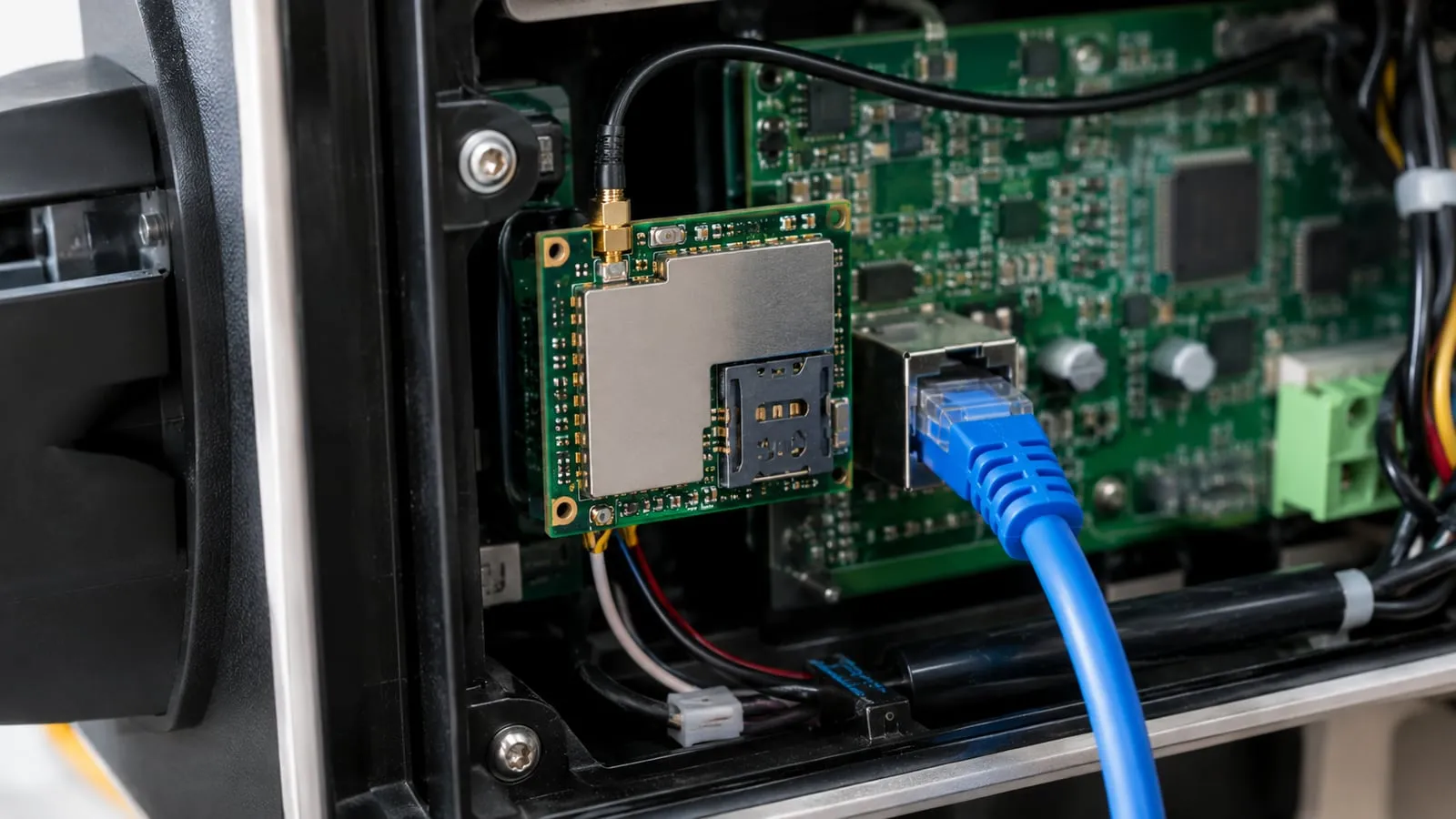
- Antenna. A charger in a steel cabinet or underground needs an external antenna.
What to check on Wi-Fi
- 2.4 GHz support — it travels farther than 5 GHz.
- Signal at the charger, measured with a phone or analyser, not assumed.
- Who manages the router, since a password change or router reboot takes chargers offline.
- WPA2/WPA3 security and a separate network for chargers.
Offline behaviour matters
Even good links fail. Ask the supplier how the charger behaves offline: does it keep authorising with a local list? Does it store transactions and replay them? How many? Does it keep load management running? OCPP has features for offline operation, but each charger implements them differently. For public sites, test offline mode during the sample test — see EV charger samples: what to test.
Communication on VULTAE chargers
Our AC chargers combine Wi-Fi, 4G and Ethernet on one board, and the connections can be fitted at the same time. Our DC chargers use Ethernet with optional integrated 4G and Wi-Fi; internal communication uses RS485. All connect to your back end over OCPP 1.6J or 2.0.1. Tell us the country and carrier when you order, so that we configure the 4G module for the right bands. For the protocol side, see OCPP 1.6J vs 2.0.1; for the security side, cybersecurity requirements.
Questions buyers ask
- Is Wi-Fi good enough for a commercial EV charger?
- Only if the Wi-Fi coverage at the charger is strong and managed by the site. Car parks, basements and metal enclosures weaken the signal, and a router restart takes the charger offline. For public chargers, Ethernet or 4G is more reliable.
- How much data does an EV charger use over 4G?
- Little. OCPP messages and meter values for a typical charger use a few hundred megabytes a month at most; firmware updates add a few megabytes each time. Check the SIM plan for the data allowance.
- What happens to a charger when the connection drops?
- Many chargers keep working in offline mode: they store transactions locally and send them when the link returns. Whether new users can start depends on the setup, for example a local whitelist for RFID cards. Ask the supplier how offline mode works.
- Can a charger use two connections at the same time?
- Some can: Ethernet as the primary link with 4G as the backup. This is a good setup for public sites. Ask whether the failover is automatic and how the charger reports which link it uses.
References
- [1]Open Charge Point Protocol (OCPP). Open Charge Alliance.
- [2]Regulation (EU) 2023/1804 — AFIR. EUR-Lex.